Better Bulk Price for WHMCS

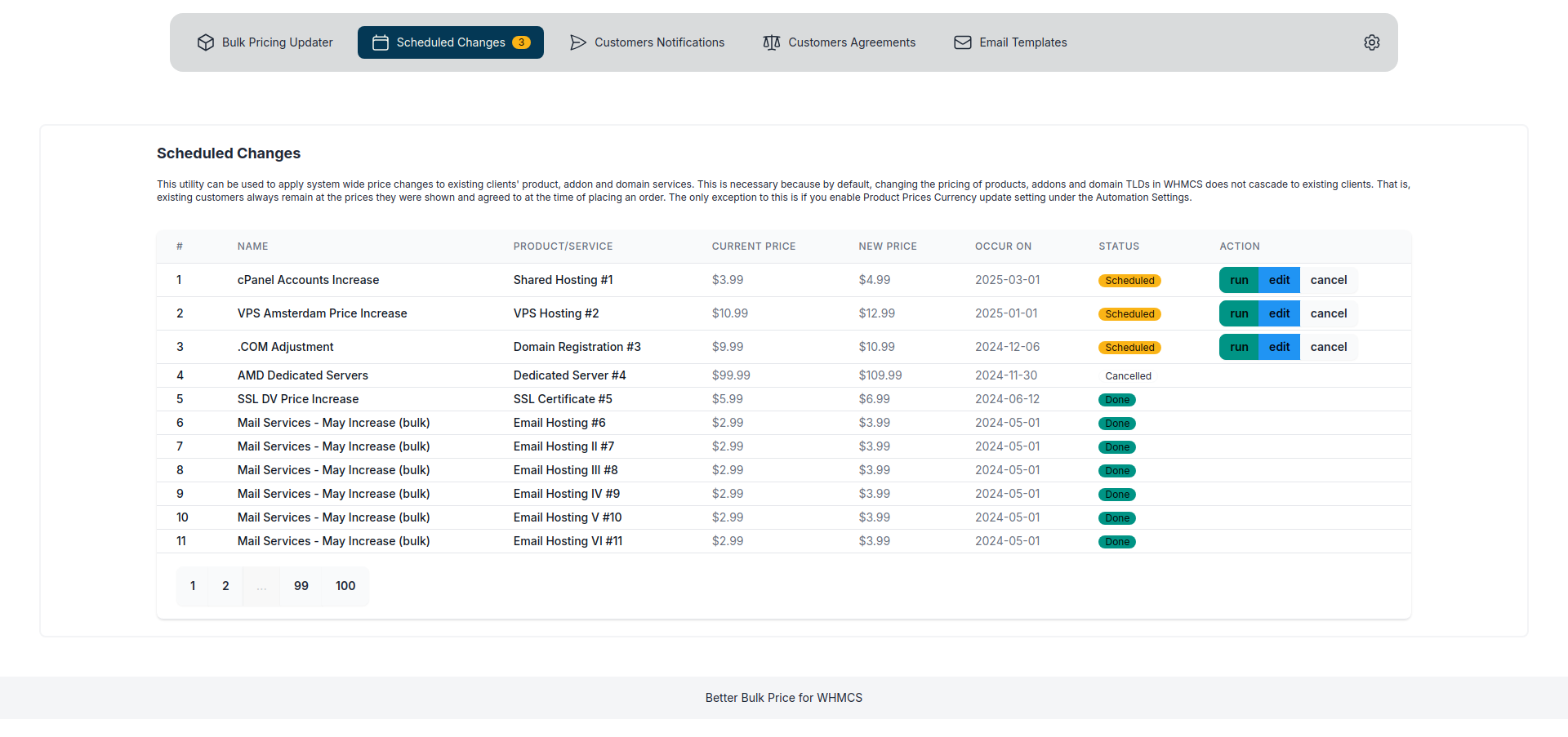
Better Bulk Price for WHMCS helps hosting providers run controlled service price campaigns with reusable templates, clear scheduling, safer execution, and proactive client communication.
Instead of editing service pricing one by one, your team can create a campaign, preview the affected services, approve a frozen target list, notify clients in advance, and let WHMCS apply changes at the right time.
Documentation Summary
- Requirements
- Installation
- Managing Campaigns
- Better Bulk Price vs WHMCS Bulk Pricing Updater
- Client Pricing Notices
- FAQ and Troubleshooting
- Changelog
What Better Bulk Price Does
Better Bulk Price introduces a campaign workflow for service price changes in WHMCS.
Each campaign defines:
- Which services are affected through filters such as product, currency, billing cycle, service status, and current recurring amount.
- What new recurring amount should be applied.
- When clients should be notified and when the new price should take effect.
Teams can also save campaign configurations as reusable templates and clone past campaigns into fresh drafts, reducing manual repetition when similar pricing changes happen more than once.
The module is designed for service pricing campaigns in WHMCS. In the current version, it targets services only.
Main Features
- Advanced campaign filters — target services by product (multi-select), currency, billing cycle, service status (multi-select), price range, next due date window, client group, and explicit exclusion lists.
- Flexible pricing rules — set the new recurring amount using an absolute value, a percentage change, or a fixed delta. Apply optional floor, ceiling, and rounding constraints per campaign.
- Campaign templates — save reusable campaign configurations with filters, pricing rules, email template selection, and batch settings.
- Campaign cloning — copy an existing campaign into a new draft so your team can reuse a proven setup without rebuilding it from scratch.
- Financial impact simulator — at draft preview time, a Financial Impact Summary panel shows estimated MRR delta, ARR delta, unique clients affected, an immediate/deferred execution split, a colour-coded risk badge, and a per-currency breakdown table.
- Financial impact snapshot — when a campaign is approved the financial summary is computed over the full frozen target set and stored. The campaign view continues to show the approval-time figures even after the pricing data has changed.
- Approval-time snapshot freezing — the approved target list is locked at approval time so execution does not drift against later account changes.
- Phased batch execution — optionally process a campaign in bounded batches, pause after each batch, and resume manually when your team is ready for the next slice.
- Dry-run execution — simulate a campaign run, inspect target outcomes, and validate billing-window behaviour without mutating any service prices.
- Scheduled execution through the WHMCS daily cron.
- Client area notices and email notifications.
- Per-service acknowledgement tracking for transparency.
- Audit trail for campaign, notification, and execution activity.
How the Workflow Works
- Create a draft campaign from scratch, from a reusable template, or by cloning an existing campaign.
- Define the target filters and choose a pricing rule.
- Preview the live impact. Review the Financial Impact Summary — including estimated MRR delta, risk level, and immediate/deferred split — before making anything final.
- Approve the campaign to freeze the service snapshot and persist the financial impact summary.
- Optionally run a dry run to inspect what would happen before changing production prices.
- Notify clients at the configured announcement time.
- Let the scheduled execution update eligible services on or after the effective date, either all at once or in manual batches.
Billing Safety
Better Bulk Price applies future-facing price updates. Renewal invoices that were already generated before a service becomes eligible are not silently repriced. This helps providers maintain a clear audit trail and avoid surprise changes to existing invoices.
Client Communication
The module supports two communication channels for price changes:
- Client area notices for affected services.
- Email alerts sent through the WHMCS email system.
Acknowledgement is tracked per affected service. In the current release, acknowledgement is informational and does not block a scheduled update by itself.
Who This Module Is For
- Web hosting providers managing a large number of recurring services.
- Teams that need predictable price campaigns instead of ad hoc manual edits.
- Providers that want clearer communication with clients around pricing changes.
Support
- Product page: https://www.mimirtech.co/whmcs-modules/better-bulk-price-for-whmcs/
- Support: https://mimirtech.co/support
- Email: support@mimirtech.co